Tickets, Tunnels, and Tailscale: Journey to Simple Theater Connectivity
Instead of the central server reaching into a local DB (hard if it's behind NAT), the local device can call out and open a tunnel. Think of it like the local DB *poking a* straw through the internet so the remote server can sip data whenever needed.
September 11, 2025 · 5 min read
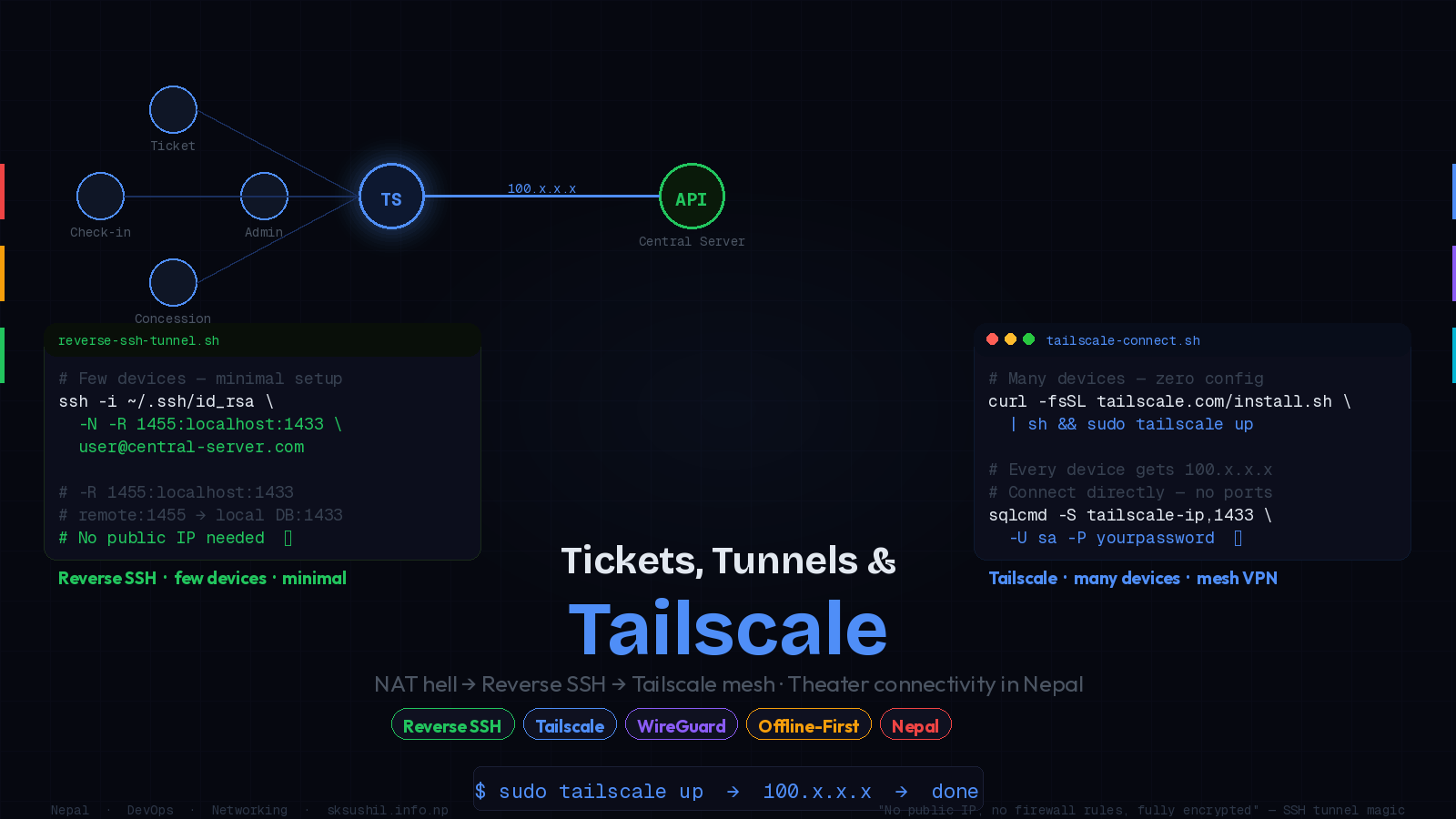
When I first started working on a theater management system in Nepal, I faced a big
headache: offline-first devices.
Each ticket counter, check-in counter, and concession stand needed to talk to the central
server. But sometimes the internet wasn't stable, and some devices were deep behind NATs
and firewalls. How do you get a central API to query a local database without opening up
messy firewalls or paying for static public IPs?
The First Struggle: Public IPs & VPNs
Initially, I thought: "Okay, just give every local DB a public IP." But reality hit hard:
- ISPs charge extra for static IPs
- Configuring firewalls is messy
- Security nightmares at every turn
I needed something simpler, secure, and cheap.
Enter Reverse SSH Tunnel
Then I discovered a neat trick: Reverse SSH Tunnels.
Instead of the central server reaching into a local DB (hard if it's behind NAT), the
local device can call out and open a tunnel. Think of it like the local DB poking a
straw through the internet so the remote server can sip data whenever needed.
ssh -i ~/.ssh/id_rsa -N -R 1455:localhost:1433 user@central-server.com-R 1455:localhost:1433→ remote server port 1455 forwards to local DB port 1433- Remote API connects to
localhost:1455on the central server → it's actually talking to the local DB
Result: no public IP, no firewall rules, fully encrypted via SSH.
The local device initiates the connection outbound — it punches right through NAT without any special router configuration needed.
But What About Scale?
Reverse SSH works great for a handful of devices. But in a larger system — 15 theaters,
50+ scanners — managing tunnels gets painful fast. You need:
- SSH key management across all devices
- Reconnect logic via
autosshorsystemdon Ubuntu/WSL - Port mapping that doesn't collide across venues
That's when I found the real lifesaver: Tailscale.
Enter Tailscale (Built on WireGuard)
Tailscale creates a secure private mesh network between all your devices — even
behind NAT or firewalls. No static IPs needed. Every device gets a stable identity
like mini-server@theater-id and a persistent 100.x.x.x address.
Instead of juggling port mappings:
# Connect directly to the local DB via Tailscale IP — that's it
sqlcmd -S tailscale-ip,1433 -U sa -P yourpassword
Boom — you're inside the local DB directly, securely. Perfect for many devices when
you don't want to manage tunnels manually.
Tailscale's free tier supports up to 100 devices. For a theater chain with 15 venues and 50+ counters, that covers everything at zero cost.
What I Realized
Reverse SSH Tunnel | Tailscale | |
|---|---|---|
Best for | Few devices | Many devices |
Setup | One command | Install + sign in |
Port Mapping | Manual per device | Automatic |
Reconnect Logic | You manage ( | Managed for you |
Key Management | SSH keys per device | Identity-based |
Cost | Free | Free (up to 100 nodes) |
Reverse SSH Tunnel → best when you have a few devices, want minimal dependencies,
and already have a central server with a public IP.
Tailscale → best when you have many devices, don't want to manage port mappings,
and want a clean identity-based network that just works.
Keep reading
How I Replaced Nginx Chaos with One Clean Caddyfile
Tired of Nginx config hell? Here's how I replaced multiple Nginx config files with one elegant Caddyfile and never looked back.
Building My Own Hosting Server (Completely Free — Just Electricity & Internet Bills!)
How I built my own hosting server - just electricity and internet bills, no hosting fees!
Why the Interface Property Approach Might Be a Better Choice for Small Projects
What if instead of a dumb factory that I have to manually update every time I add a provider, I let the providers announce themselves?
Subscribe to Newsletter
Get notified about new articles